
How it works
Done on site, in three steps.
Walk the house with your customer. Mark it up, check it together, and get it signed before you leave.
- Write your usual shorthand on the plan.
- It turns into proper symbols, with counts.
- Your customer signs with a finger. Done.
Step 1
Mark it up with the customer.
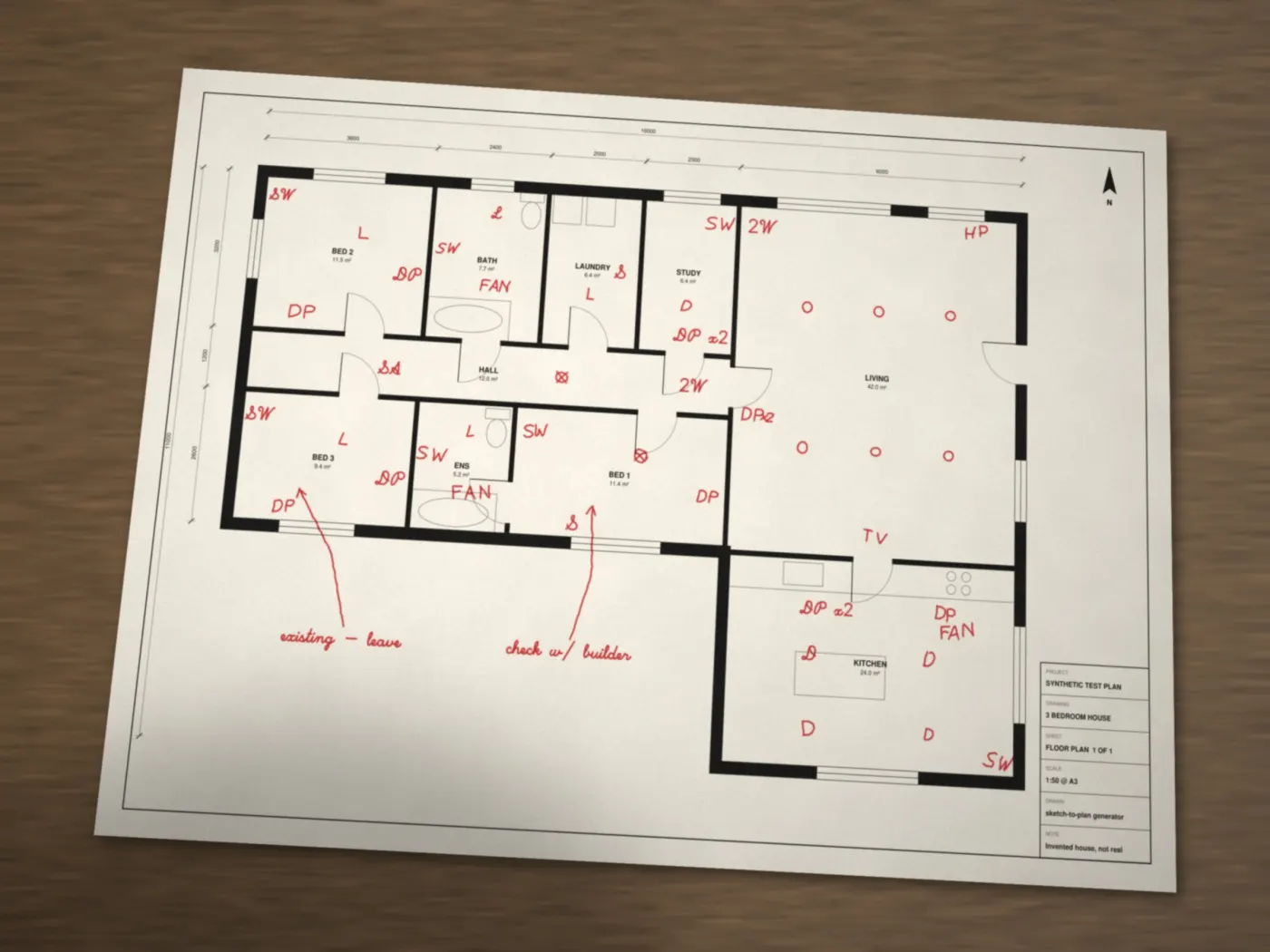
On your phone, iPad or laptop, right there in the house. Or write on a printout and snap a photo.
- Use your shorthandDP, SW, 2W, D, SA, FAN, HP, TV, little circles for lights.
- Any pen colourRed or blue reads best. Black works too.
- Good photo tipsWhole page in the shot, flat on a table, in good light, no shadow from your phone.
Step 2
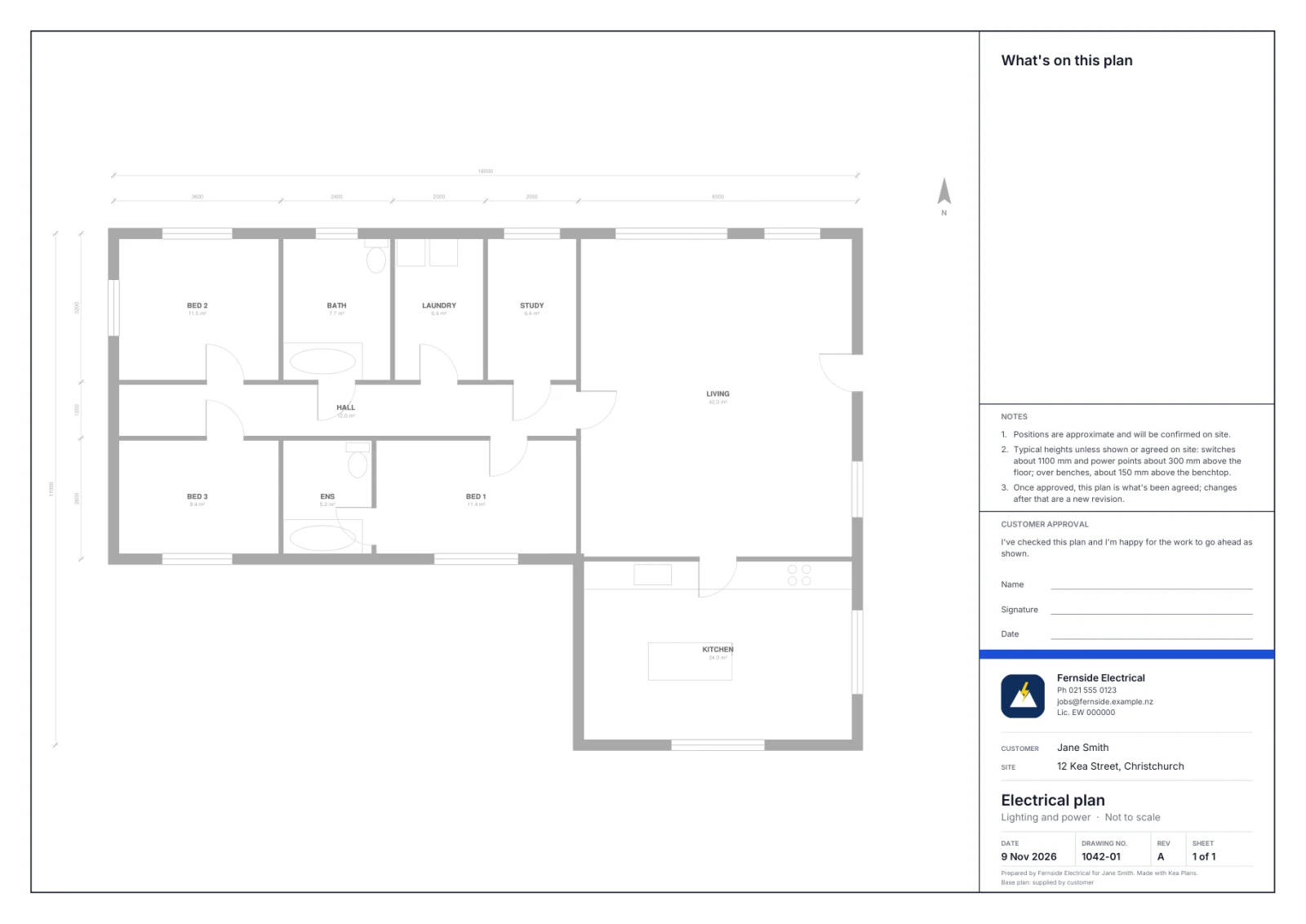
A proper plan in seconds.
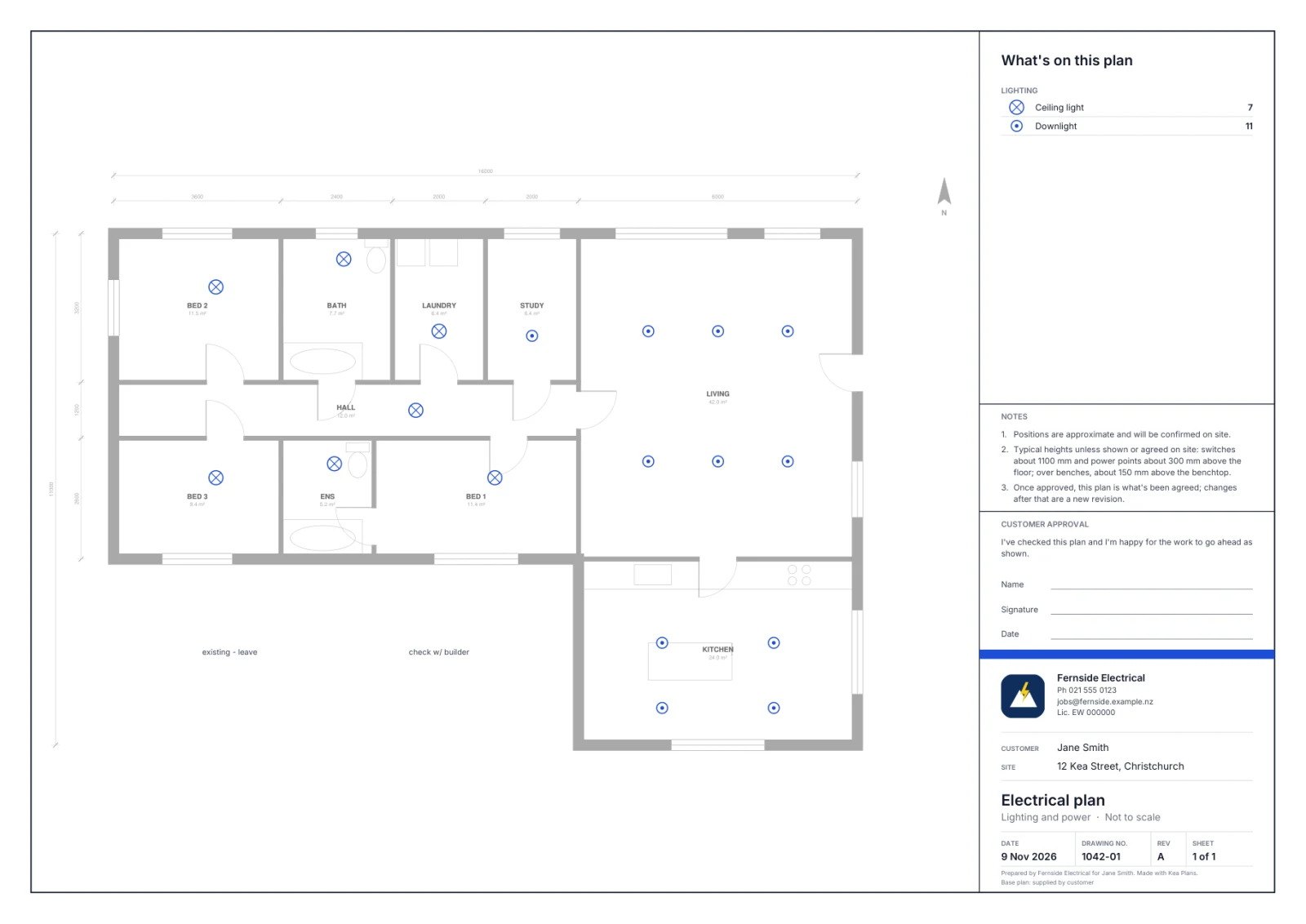
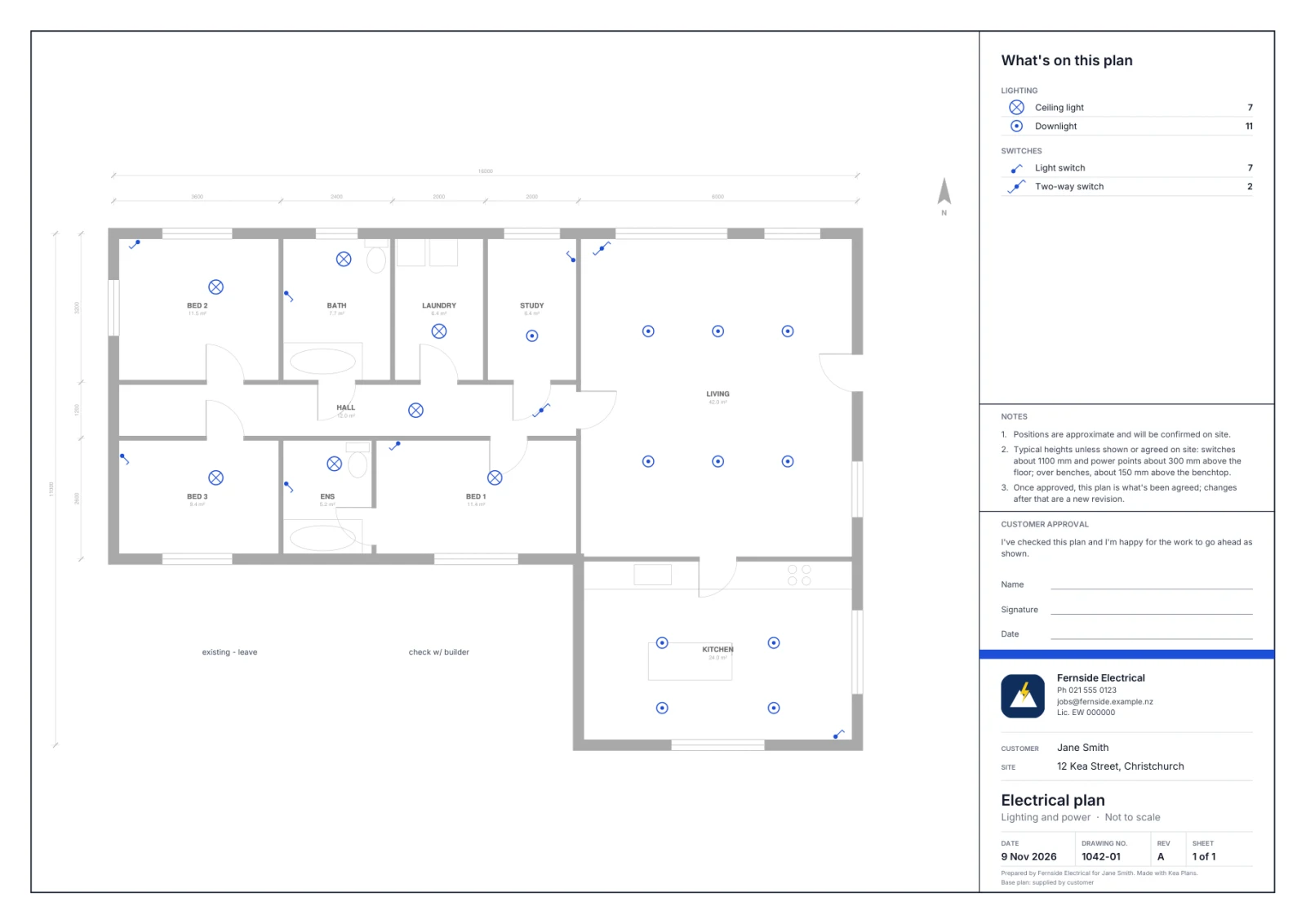
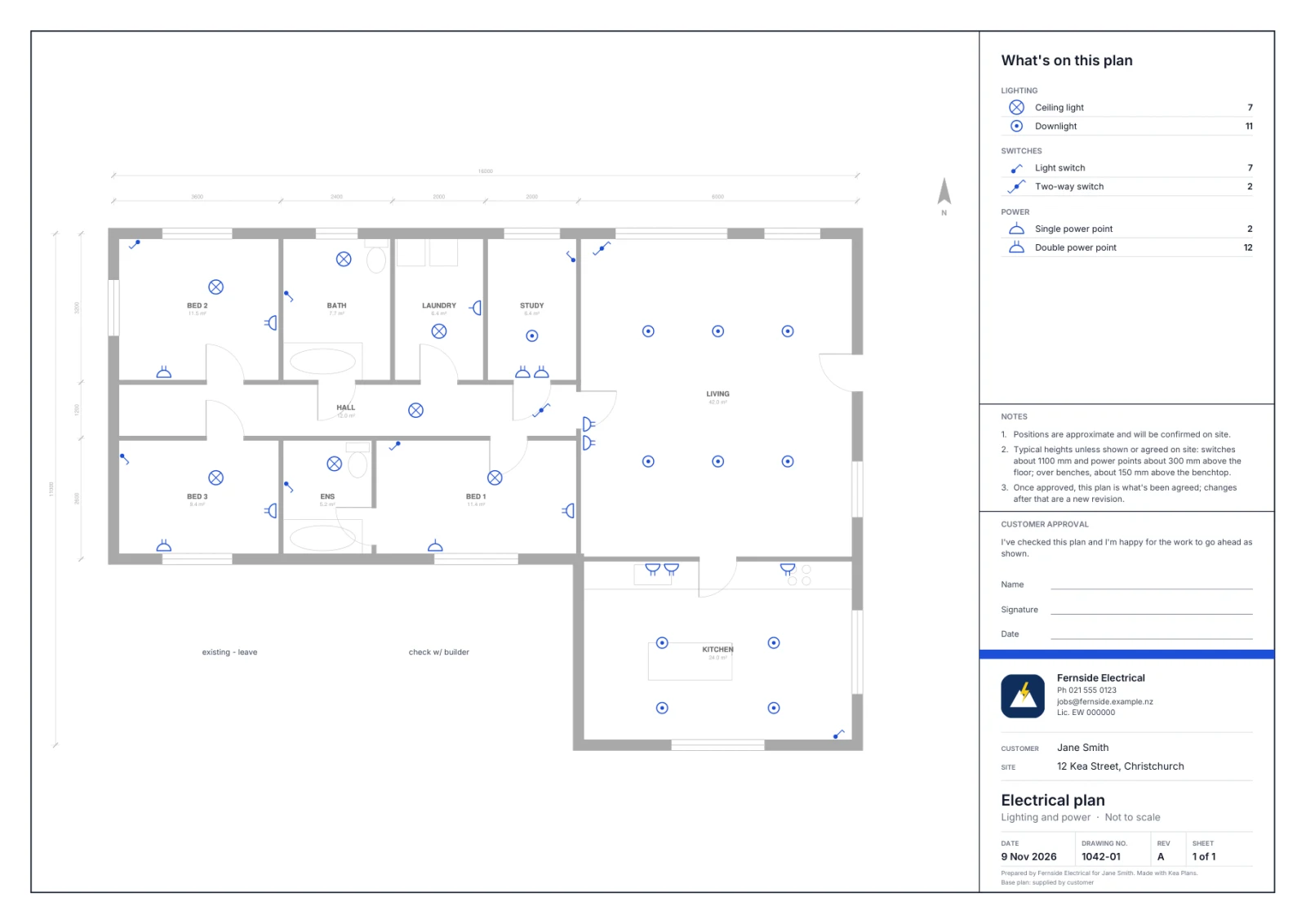
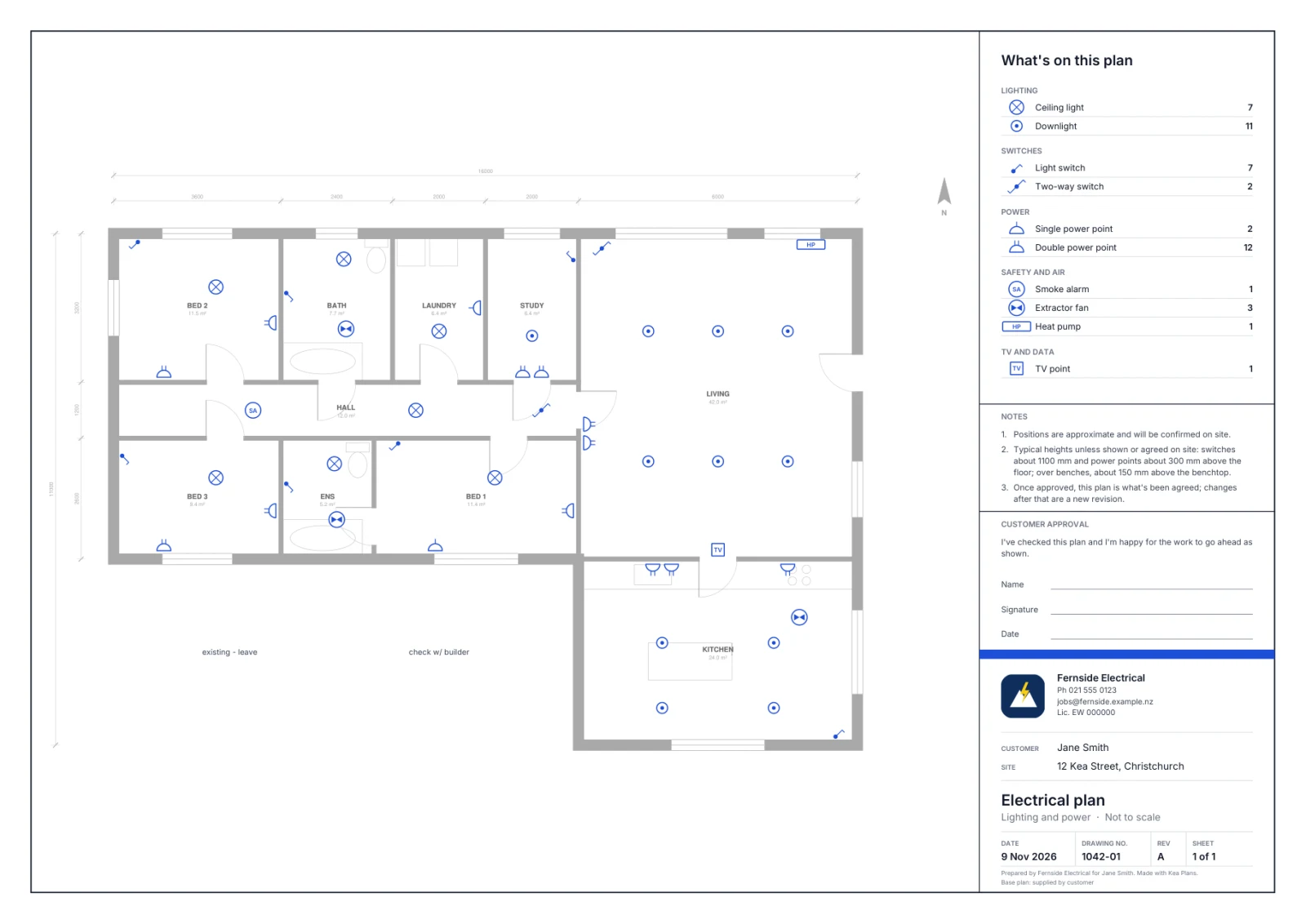
Each mark turns into a proper symbol, in the right spot, facing the right wall. While you're still standing there.
- House plan faded backSo your electrical work is what people see.
- Legend with countsHandy for ordering gear and pricing the job.
- Unsure marks are flaggedHighlighted in yellow so you know where to look.
Step 3
Check it together. Sign it. Done.
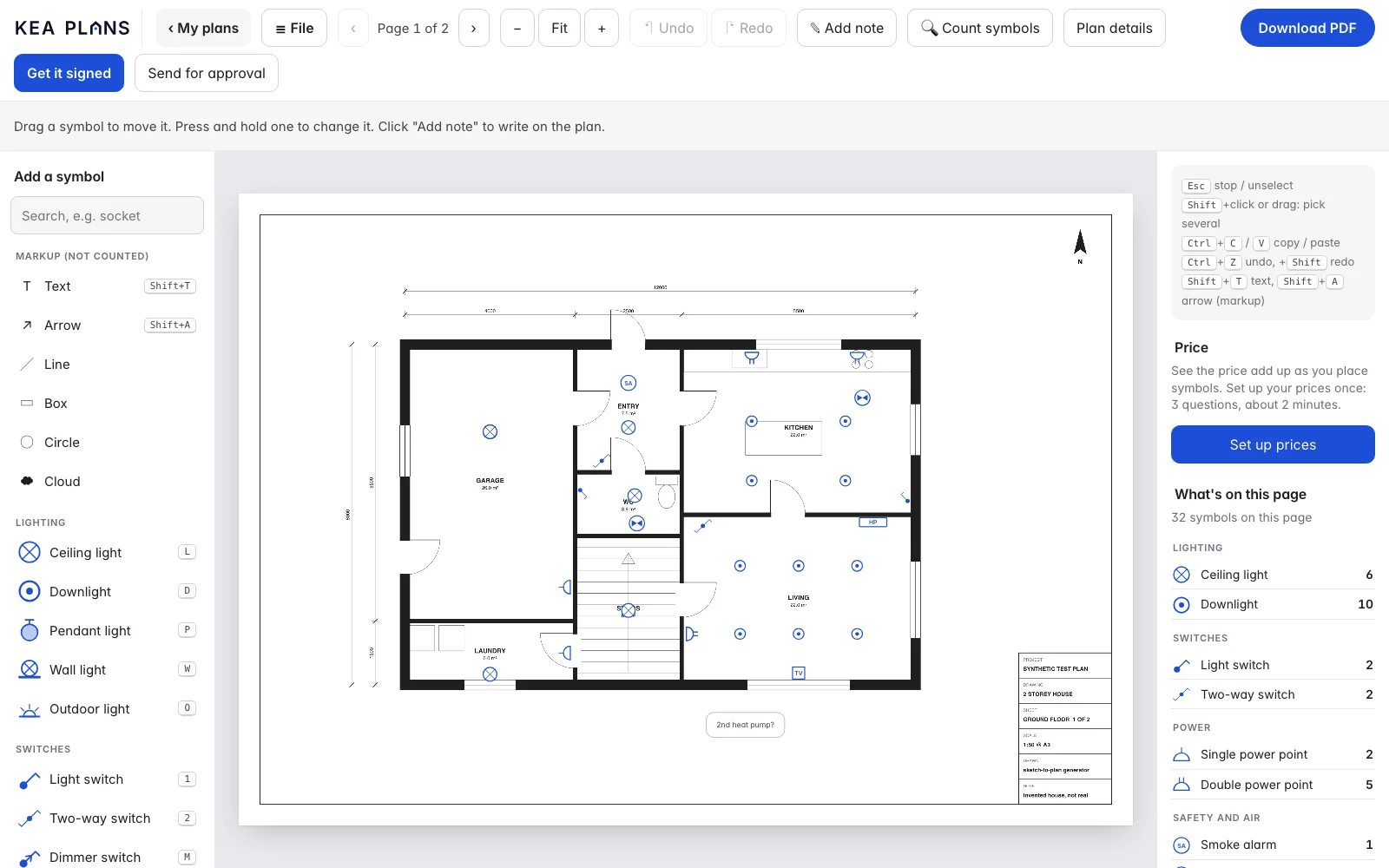
Go through it with the customer on your screen. Big buttons, plain names. Works on a phone, iPad or laptop.
- Drag, add or deleteTap a symbol to change it. Pick from 16 symbols with plain names.
- Signed on siteThey sign with a finger. Name, time and revision go on the plan.
- Or send a linkFor customers who aren't there. They tap Approve on their phone.
What it knows
16 symbols, in plain words.
Lighting
Ceiling light, downlight, pendant, wall light, outdoor light
Switches
Light switch, two-way switch, dimmer
Power
Single and double power points, oven / hob isolator, switchboard
Safety, air and TV
Smoke alarm, extractor fan, heat pump, TV point